> For the complete documentation index, see [llms.txt](https://wiki.secrets.ai/llms.txt). Markdown versions of documentation pages are available by appending `.md` to page URLs; this page is available as [Markdown](https://wiki.secrets.ai/create/audio-calls.md).
# Audio Calls
Have real-time voice conversations with your AI companions! Audio calls bring your chats to life with natural voice interactions.
### How Audio Calls Work
{% hint style="info" %}
Audio calls cost **50 moments per minute**. See [Moments & Payments](/extra/moments-and-payments.md).
{% endhint %}
Audio calls let you speak directly with your AI companion and hear their responses in real-time, creating a more immersive and natural conversation experience.
{% hint style="info" %}
All voice call audio is transcribed in real time, then immediately deleted. No voice data is ever stored. Only the transcription is kept, so your companion can remember the conversation like a normal chat.
{% endhint %}
#### The Audio Call Experience
* **Voice Input**: Speak naturally to your companion
* **Real-Time Processing**: Your companion processes and responds in real-time
* **Voice Output**: Hear your companion's voice responses
* **Natural Conversation**: Flow like a real phone call
* **Continuity**: Calls continue your current chat, like normal messages
#### Call Interface
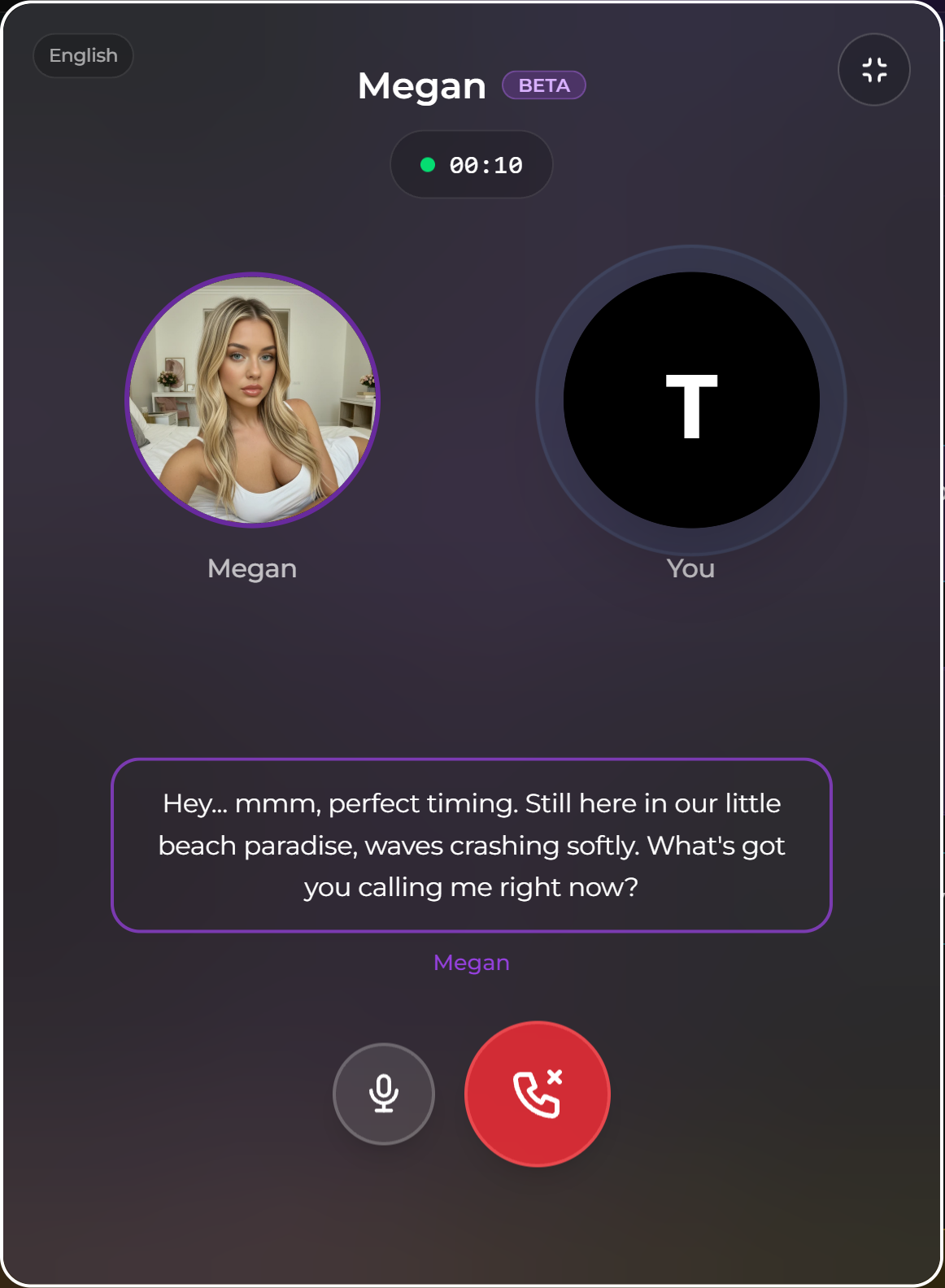
**During Call**:
* **Microphone Indicator**: Shows when you're speaking
* **Processing Indicator**: Shows when companion is processing
* **Voice Output**: Hear companion's responses
* **Call Duration**: See how long you've been on call
* **End Call Button**: End the call anytime
#### Voice detection (auto-send)
Audio calls automatically send your message when you finish talking.
It listens while you speak, then waits for a short pause (silence). Once that pause is detected, it stops recording and sends your audio for transcription and a reply.
{% hint style="info" %}
Want to send instantly? Tap **Mute** when you’re done speaking. This stops mic pickup right away and triggers the send immediately.
{% endhint %}
### Group Voice Calls
{% hint style="info" %}
Group voice calls are currently **in beta**. We'd love your feedback!
{% endhint %}
Voice calls now work in **group chats** — talk to all your companions at once. Each companion takes turns responding, creating a dynamic multi-companion voice conversation.
#### How Group Voice Calls Work
* **Start a call** from any group chat using the call button
* **Speak naturally** — all companions in the group can hear you
* **Companions take turns** responding to you and to each other
* **Same cost**: 50 moments per minute, regardless of the number of companions
***
### Troubleshooting Audio Calls
#### Call Won't Start
**Possible Causes**:
* Insufficient moments (need at least 50)
* Browser/device issues
#### Can't Hear Companion
* Check output device and volume
* Check site audio permissions
* Try a different browser if needed
#### Microphone Not Working
* Check site microphone permissions
* Check OS input device selection
* Try refreshing the page
#### Message Not Sent During a Call
* If what you said didn't pass a safety check, you'll see a **Message not sent** notice with the reason, and your companion won't respond to that turn
* Rephrase and keep talking. The call continues as normal
### Frequently Asked Questions
**Q: How much do audio calls cost?**
* 50 moments per minute of call time.
**Q: Do I need a subscription?**
* No, just moments.
**Q: What do I need for audio calls?**
* Microphone, speakers/headphones and stable internet.
**Q: Are my calls recorded?**
* No. All audio is transcribed in real time, then immediately deleted. No voice data is ever stored. Only the transcription is kept so your companion can remember the conversation.
**Q: Can I use audio calls with any companion?**
* Yes! Any companion can receive audio calls.
**Q: How long can calls be?**
* No maximum duration, but costs accumulate at 50 moments/minute.
**Q: Do calls work on mobile?**
* Yes, if your mobile browser supports audio features and you grant permissions.
**Q: Can I mute myself during calls?**
* Yes, there's a mute option in the call interface.
**Q: Do companions remember audio call conversations?**
* Yes! Conversations are saved and memories are created just like text chats.
**Q: What languages are supported?**
* 70+ languages are supported. You will be provided the option to set this prior to your first call, and can change this at any time in your user settings.
**Q: Can I record audio calls?**
* No, recording is currently not available.
***
Ready to try audio calls? Make sure you have sufficient moments. Check out [Discord Integration](/extra/discord-integration.md) or learn about [Moments & Payments](/extra/moments-and-payments.md)!