> For the complete documentation index, see [llms.txt](https://wiki.secrets.ai/llms.txt). Markdown versions of documentation pages are available by appending `.md` to page URLs; this page is available as [Markdown](https://wiki.secrets.ai/extra/tips-and-tricks.md).
# Tips & Tricks
Quick ways to get better chats, better memories, and better generations.
### Build relationship
**Share Personal Information**
* Tell your companion about yourself
* Share interests, preferences, experiences
* Build rapport over time
* Create meaningful connections
### Use Spice Level effectively
**Match the Vibe to Your Conversation**
* **Mild** for casual, friendly, and lighthearted conversations
* **Medium** for a balanced mix of warmth and flirtation
* **Spicy** for bold, intimate, and uninhibited conversations
**Customize Per Chat**
* Set a **default Spice Level** in User Settings that applies to all new chats
* Change the Spice Level per chat anytime from chat settings or the mode selector
* Experiment with different levels per companion to find the best fit
* Details: [Chat Features](/get-started/chat-features.md)
### Optimizing Memory Usage
#### Share Important Information Early
**Core Facts First**
* Share age, location, job early
* Tell companion about major interests
* Establish key preferences
* Build foundation for relationship
#### Focus on Lasting Information
**What to Share**
* Preferences that won't change
* Interests and hobbies
* Life goals and aspirations
* Important experiences
* Relationship preferences
### Best Practices for Image Generation
#### Request Images Naturally
**In Conversation Flow**
* Ask for images when relevant
* Reference conversation context
* Make requests feel natural
* Use the **Generate Image** button
**Be Specific**
* Describe what you want clearly
* Include setting, clothing, pose details
* Mention lighting and atmosphere
* Use conversation context
#### Use Image Prompting Effectively
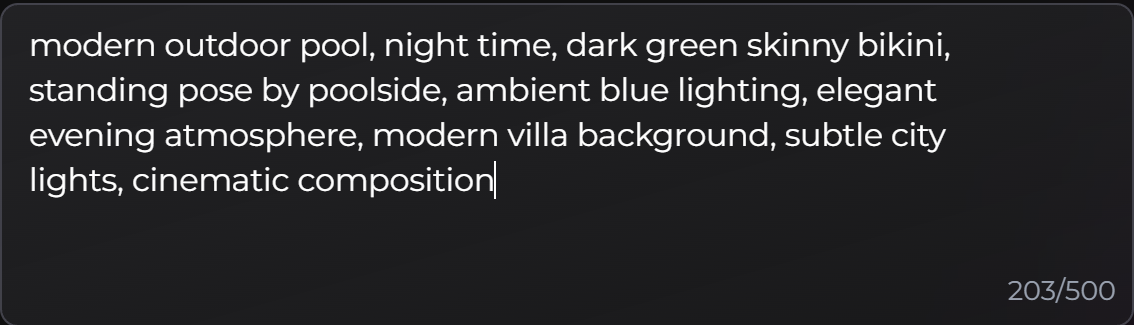
**Comma-Separated Tags**
* Use tags, not full sentences
* Keep tags 1-4 words each
* Include essential elements
* Be specific but concise
**Include Key Elements**
* Setting/location
* Clothing/outfit
* Pose/position
* Lighting/time
* Atmosphere/mood
* Background
* Composition style
**Example Good Prompt**:
```
beach setting, daytime, blue sky, white sand, casual beachwear, standing pose, natural lighting, relaxed atmosphere, ocean background, wide shot
```
#### **Use Edit Feature**
* Edit images to refine results
* Create variations from same image
* Adjust details as needed
* Save moments by editing instead of regenerating
### Organize your collection
#### Content Tags
Use custom tags to organize generated images and videos. Tags help you filter your collection fast.
**Managing Tags**
1. Open **My Collection**.
2. Click the **+** on the bottom-left of an image.
3. Select an existing tag, or create a new one.
* Examples: `Cyberpunk`, `Beach`, `Favorites`
4. Click tags at the top of **My Collection** to filter results.
{% hint style="info" %}
You can create your own tags. Some global tags may also appear, depending on content.
{% endhint %}
#### Filter by image mode
In **My Collection**, you can filter images by mode:
* **Premium**
* **Advanced**
* **Edit**
### Making the Most of Your Subscription
#### Understand Your Tier Benefits
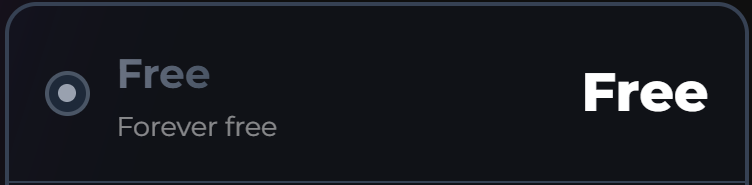
**FREE Tier**
* 20 messages/day
* Basic memory
* No time travel
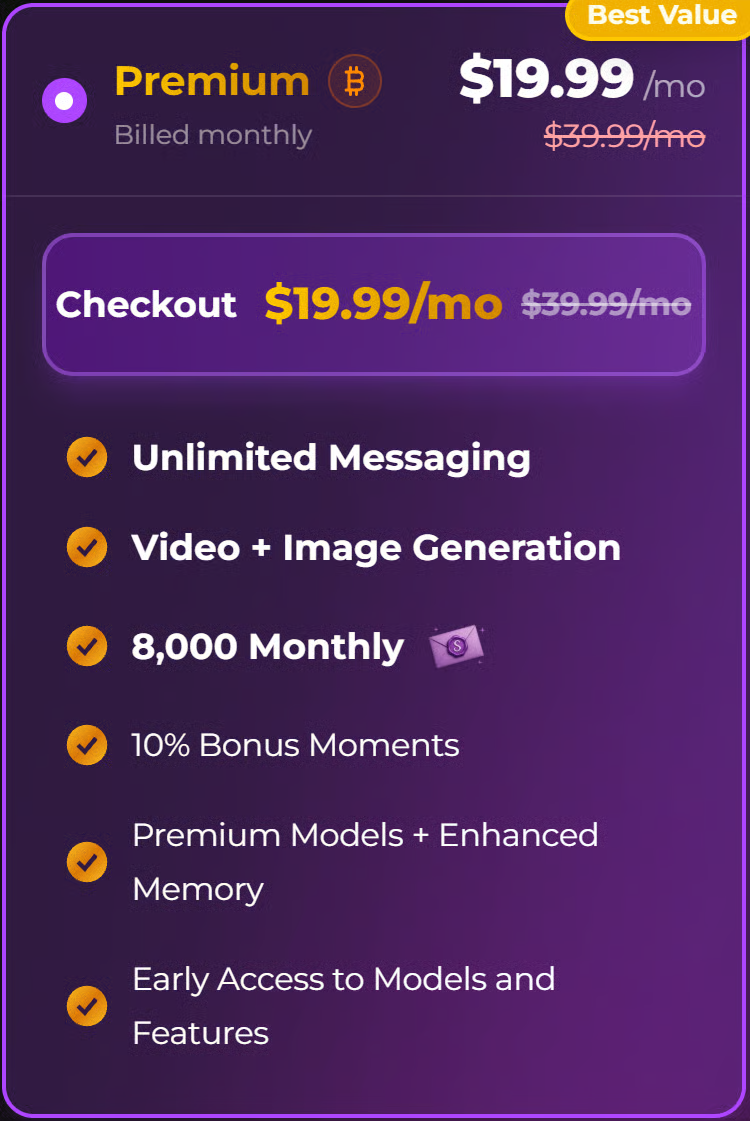
**PREMIUM Tier**
* Everything in FREE tier
* Premium memory
* 8,000 monthly moment grant
* 10% purchase bonus
**ULTIMATE Tier**
* Everything in PREMIUM
* Strongest memory
* 2x message length (up to 2,000 characters per message)
* 6x memories accessed
* 2x short-term memory length (+100% context)
* +100% previous conversations recalled
* [Personas](/get-started/personas.md) access
* [Group Chats](/get-started/group-chats.md) access
* 15,000 monthly moment grant
* 15% purchase bonus
#### Maximize Subscription Value
**Take Advantage of Bonuses**
* PREMIUM: 10% bonus on purchases
* ULTIMATE: 15% bonus on purchases
* Buy moments when you need them
#### Upgrade Strategically
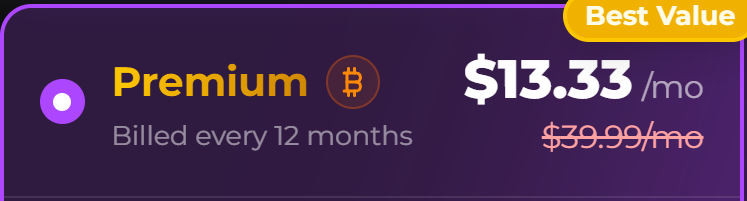
**Consider Billing Cycles**
* Longer cycles = better savings
* Annual = best value
* Plan subscription length
* Consider commitment level
{% columns %}
{% column %}
{% endcolumn %}
{% column %}
{% endcolumn %}
{% endcolumns %}
### Common Issues & Solutions
#### Message Limit Reached
**Problem**: Hit daily message limit
**Solutions**:
* Wait for daily reset
* Upgrade to higher tier
* Upgrade to Premium or Ultimate for unlimited messaging
* Plan messages throughout day
#### Insufficient Moments
**Problem**: Don't have enough moments for features
**Solutions**:
* Purchase more moments (requires a paid subscription — moments can't be bought on FREE)
* Wait for monthly grant (if subscribed)
* Use subscription grants strategically
* Plan moment usage
* Consider subscription for grants
#### Audio Call Issues
**Problem**: Audio calls not working
**Solutions**:
* Grant microphone permissions
* Check internet connection
* Test microphone/audio
* Try different browser
* Ensure sufficient moments (50/minute)
### Getting Help
#### Support Resources
**Contact Support**
* For the **fastest response time**, join our Discord and link your account in the #link-account channel and then open a ticket in the #support channel.
* Email:
* Include account details
* Describe issue clearly
* Provide error messages and/or screenshots
#### Community
**Discord Server**
* Join Discord community
* Ask questions
* Share experiences
* Get help from other users
### Final Tips
#### Enjoy the Experience
**Have Fun**
* Experiment with features
* Try different companions
* Explore different Spice Levels
* Create unique experiences
**Be Patient**
* Some features take time
* Results may vary
* Iterate and improve
**Build Relationships**
* Invest in relationships
* Share yourself authentically
* Let relationships develop
* Create meaningful connections
#### Continuous Improvement
**Learn and Adapt**
* Try new approaches
* Learn what works best
* Adjust based on experience
* Improve over time
**Stay Updated**
* Check for new features
* Read update notes
* Try new Spice Levels
* Explore new capabilities
#### App Store & Google Play
* **Important:** Secrets AI is only available through the website at **secrets.ai**. We are not officially on the Apple App Store or Google Play Store. All subscription management, including cancellation, is handled directly through the website. If you see a Secrets AI app listed on any app store, it is not affiliated with us.
* **Want an app experience?** You can install Secrets directly from your browser for a home screen icon, full-screen app, and push notifications. See [Install the App](/get-started/install-the-app.md).
***
Have questions? Check out our other guides or contact . Happy chatting!